Tombs of Telleran UI Update
Hello everyone! I hope summer is treating you well.
I have rethought resource quantities and how they are presented in Tombs of Telleran and wanted to share my thoughts.
Tactics and Surfacing Information
It is common for roguelikes to have a fairly strategic perspective on resources with pretty large quantities. Typically health, mana, etc., are rendered as plain numbers or a bar, so that’s what I went with in the beginning too. I feel like I have been on a path toward more tactical gameplay, where each round is quite important, and that has had some consequences for resource quantities.
The primary consequence is that, to make good decisions, the player needs to understand what’s on the screen. For instance, enemies in Tombs of Telleran have, like the player, an amount of breath which they can use to act before they need to recover. This is crucial information for the player, so we want this to be easily understood. Previously this quantity was perhaps 30, and an ability could cost 5 or 7 breath. This makes for pretty annoying mental arithmetic, and while some may enjoy that, I do not want it to be required. So, to make information more easily digestible, I slashed the numbers on all the resources and render them as pips.
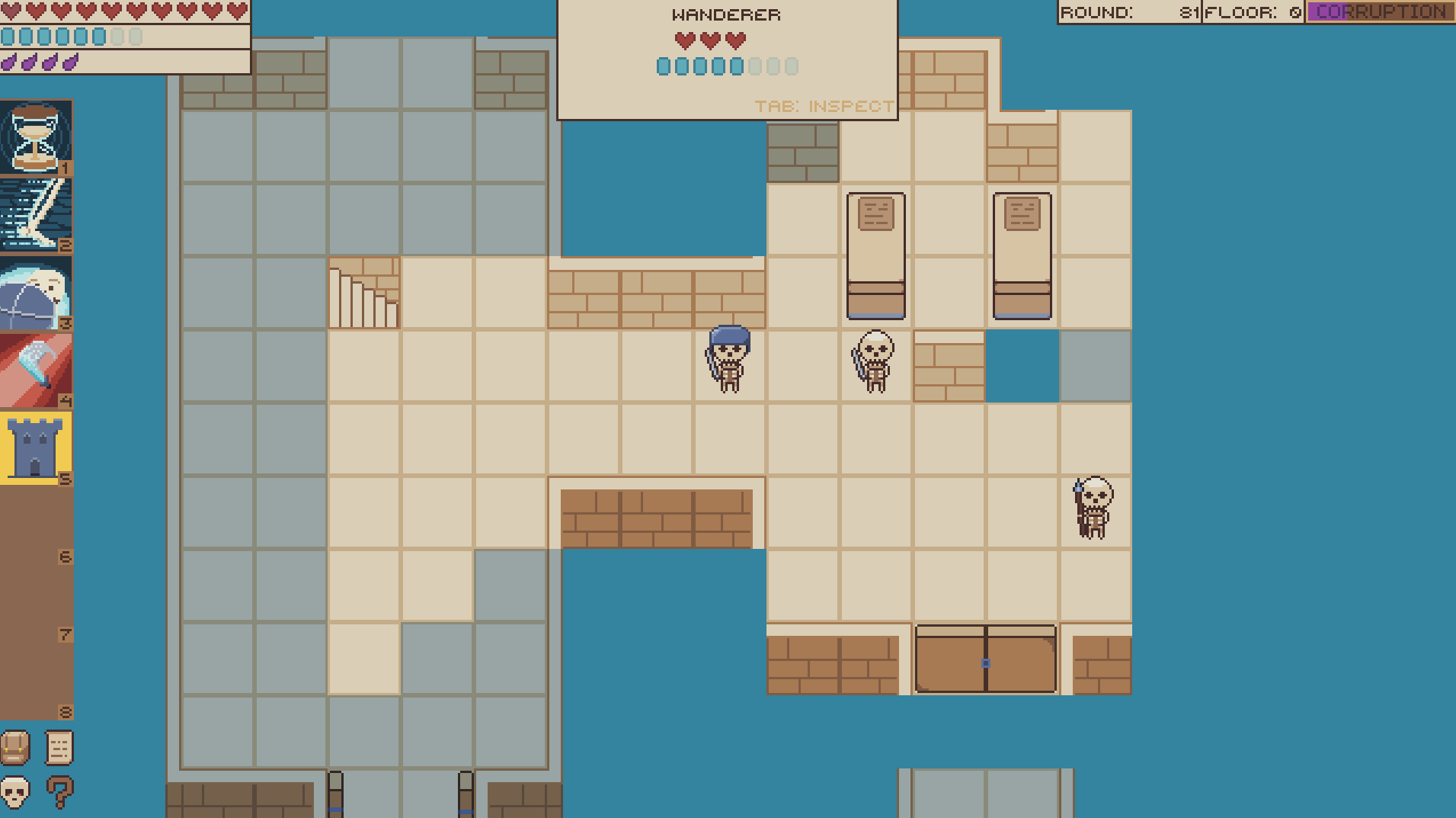
The updated UI. Health, breath and ichor are rendered as pips for the player and focused entity.
Entity Inspection
Something that has also become needed as I have worked on more interesting enemies with abilities is a way to surface information about what they can do each round.
One design goal of mine is to make sure that the enemies have distinct presentation to make them easily recognizable, but requiring the player to remember exact ability definitions is asking a bit much, I think.
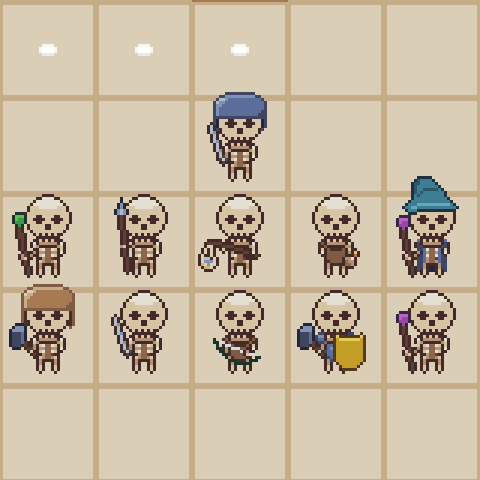
Round-up of the skeleton enemies currently in the game.
To solve this I have added an ‘inspect mode’ (inspired by the academic view in Darkest Dungeon 2) where you can get all information about an entity.
Currenlty, all abilities are tied to equipment so by inspecting the equipment you know what an entity can do.
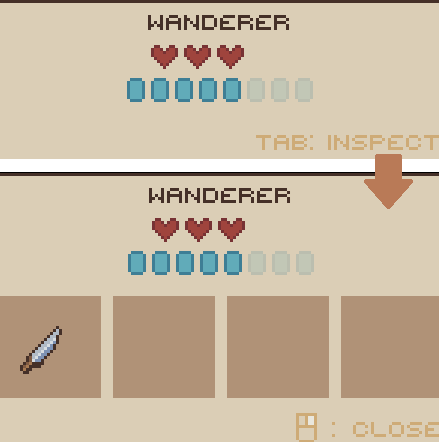
Inspect mode of the focused entity, showing it's equipment which can be moused over for details.
I’m very happy about the feel of the new UI. It feels very cute and retro. Balancing the smaller numbers is challenging, though, so we will see how this goes!